Maryam Ki Dastak App 2026: A Comprehensive Guide to Registration and Government Services
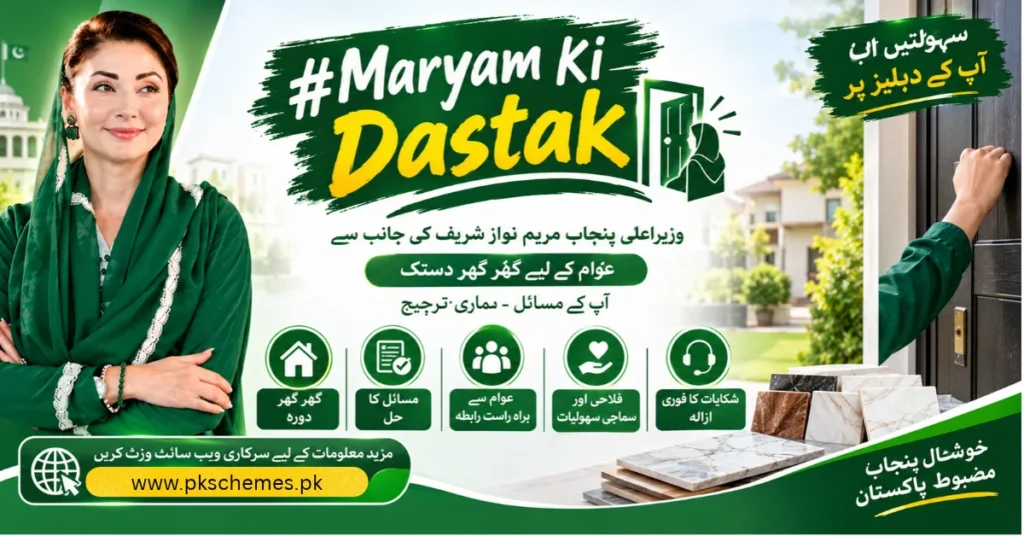
In a significant move to streamline access to essential government services, the Punjab government has launched the Maryam Ki Dastak App in 2026. This innovative online portal consolidates various gov
In a significant move to streamline access to essential government services, the Punjab government has launched the Maryam Ki Dastak App in 2026. This innovative online portal consolidates various government services into a single accessible platform, enabling citizens to obtain essential documents more conveniently than ever before.
Maryam Ki Dastak App: Overview of Maryam Ki Dastak
The Maryam Ki Dastak portal serves as a centralized hub for various government services in Punjab, including driving licenses, birth certificates, domicile certificates, and more. Managed by the Punjab Information Technology Board, this user-friendly platform eliminates the need for citizens to navigate multiple government websites to access the services they require.
Service Modes: Self-Service and Doorstep Delivery
The portal provides two modes of service: self-service and doorstep delivery. The self-service option allows users to apply for documents independently online, while the doorstep service caters to individuals who prefer having their documents collected or delivered to their residences. Though self-service is the default mode, users have the option to select different delivery methods based on their preferences.
Registration Process for Maryam Ki Dastak in 2026
To access the services offered by Maryam Ki Dastak, users must first create a citizen account. The registration process includes several essential steps:
Step 1: Access the Registration Page
Visit the official Dastak registration page, ensuring the URL is accurate to avoid phishing scams.
Step 2: Enter Mobile Number
Input your mobile number as it appears in the form. Ensure accuracy, as a verification code will be sent via SMS.
Step 3: Provide CNIC Number
Enter your CNIC number and verify that all information is correct to avoid any issues.
Step 4: Fill in Email Address
Provide a valid email address for account-related notifications and support.
Step 5: Create and Confirm Password
Choose a strong password and re-enter it in the confirmation field to ensure security.
Step 6: Complete CAPTCHA Verification
Type the letters displayed in the CAPTCHA image to verify you are not a robot. If you cannot decipher the characters, click the reload link to generate a new image.
Step 7: Submit Registration Form
After filling in all required fields, click 'Register' and follow the instructions to create your account.
Government Services Available on Dastak
The Maryam Ki Dastak portal offers a comprehensive directory of services from various Punjab government departments. Notable services include:
– **DLIMS:** Learner driving license, renewal, and duplicate license requests. – **Local Government:** Issuance of birth, marriage, death, and divorce certificates. – **Punjab Police:** Services related to traffic challans, tenant registration, FIR copies, loss reports, and character certificates. – **Excise and Taxation:** Vehicle registration, motor vehicle transfer, token tax, and property tax services. – **Board of Revenue:** Application for domicile certificates and e-stamping. – **Social Welfare:** Appointments for disability certificates. – **Higher Education:** College admission applications.
Applying for Services Through Dastak
Once registered, users can log into their accounts to explore available services, familiarize themselves with the requirements, and submit applications. Here’s how:
1. Log into your Dastak account on the official website. 2. Browse the available services or search by name. 3. Review service requirements and instructions thoroughly. 4. Complete the application form and attach necessary documents. 5. Choose your preferred application method. 6. Save your reference number for tracking purposes.
Understanding Doorstep Service
The Dastak doorstep service caters to individuals who require assistance with their applications but prefer not to handle the entire process independently. This service allows a facilitator to manage the application and deliver the necessary documents to the applicant's home, potentially benefiting those with mobility challenges.
How to Request Doorstep Delivery
1. Visit the Dastak website and navigate to the app download section. 2. Download the Dastak Citizen App from the official store link. 3. Sign in or complete account setup. 4. Find the required government service and check for doorstep delivery options. 5. Review the required documents and any associated costs before submitting your request.
Tracking Your Application on Dastak
To track the status of your application: 1. Log into your Dastak account on the official website. 2. Navigate to the relevant service/application section to view your submitted application. 3. The application status and any additional instructions will be displayed on the screen.
Downloading the Dastak Citizen App
The Dastak Citizen App is available for both Android and iPhone users. Ensure you download the app using the links provided on the official Dastak website to avoid unauthorized sources.
Costs Associated with Dastak Services
While registration on the Dastak portal is free, users should be aware that various services may incur fees. These fees typically combine the official government charges and any additional delivery fees for the doorstep service. It is crucial to review all payment instructions on the official site before submission.
Support and Contact Information
If you encounter any challenges during the registration, service selection, or application tracking, the following contact details are available: – **Helpline:** 1202 – **Email:** support@dastak.punjab.gov.pk – **Official Website:** https://dastak.punjab.gov.pk/
Important Tips Before Applying
To avoid common pitfalls during the application process, consider the following tips: – Confirm that you are on the official Punjab government website. – Double-check your CNIC and mobile number entries. – Understand the requirements for your selected service before applying. – Gather the required documents in the specified format. – Verify processing fees prior to making payments. – Retain your application reference and payment receipt. – Use the app-store links provided on the website to download the Dastak app.
Conclusion
The Maryam Ki Dastak App centralizes various government services, providing an accessible platform for citizens in Punjab to manage their applications efficiently. By creating an account, reviewing the requirements, tracking applications, and utilizing doorstep delivery options, residents can navigate government processes with greater ease. For up-to-date information on services, app downloads, and payment options, users are encouraged to consult the official Dastak website directly.
FAQs
**What is the official Maryam Ki Dastak website?** The official Maryam Ki Dastak website can be accessed at dastak.punjab.gov.pk, where users can find comprehensive information regarding services, account registration, and app download options.
**How do I register for Maryam Ki Dastak online?** To register, visit the official registration page and complete the required fields, including mobile number, CNIC, email, and password, followed by CAPTCHA verification.
**Which services are accessible through Dastak?** Dastak provides access to services such as driving licenses, civil registrations, police-related requests, property transactions, tax-related services, domicile applications, educational services, and more.
**Is doorstep delivery available?** Yes, doorstep delivery is an option for eligible services via the Dastak Citizen App, but users should confirm availability before applying.
**Can I track my application online?** Yes, users can track their applications by logging into their accounts and selecting the relevant option for tracking.
**Is Dastak available on Android and iPhone?** Yes, download links for both the Google Play Store and Apple App Store are provided on the official Dastak website.
**What is the difference between the Citizen App and the Facilitator App?** The Citizen App is designed for users seeking government services, whereas the Facilitator App caters to those who offer assistance with these services, making it critical to download the appropriate app based on user needs.
